1+
Multiple students
Keep individual trackers organized inside one shared workspace and switch between learners quickly.

A private assignment tracker built for homeschool families, college students, tutors, and learners of all ages and stages. It offers flexible schedules, clear daily work, and the freedom to organize education your way.
Flexible enough for different ages, subjects, teaching styles, and school-week patterns, without turning planning into another full-time job.
Keep individual trackers organized inside one shared workspace and switch between learners quickly.
Create custom school-day types and use dated calendars or a simple undated subject view.
Add work, mark it complete, move assignments, and see what is finished at a glance.
Choose subjects, colors, and the calendar days when each subject should appear.
LessonLine turns lesson-plan material into reviewable assignments. TaskLine finds dates and times in activity schedules. You approve the results before anything is added.
Give learners and educators a focused picture of current subjects, scheduled work, and appointments.
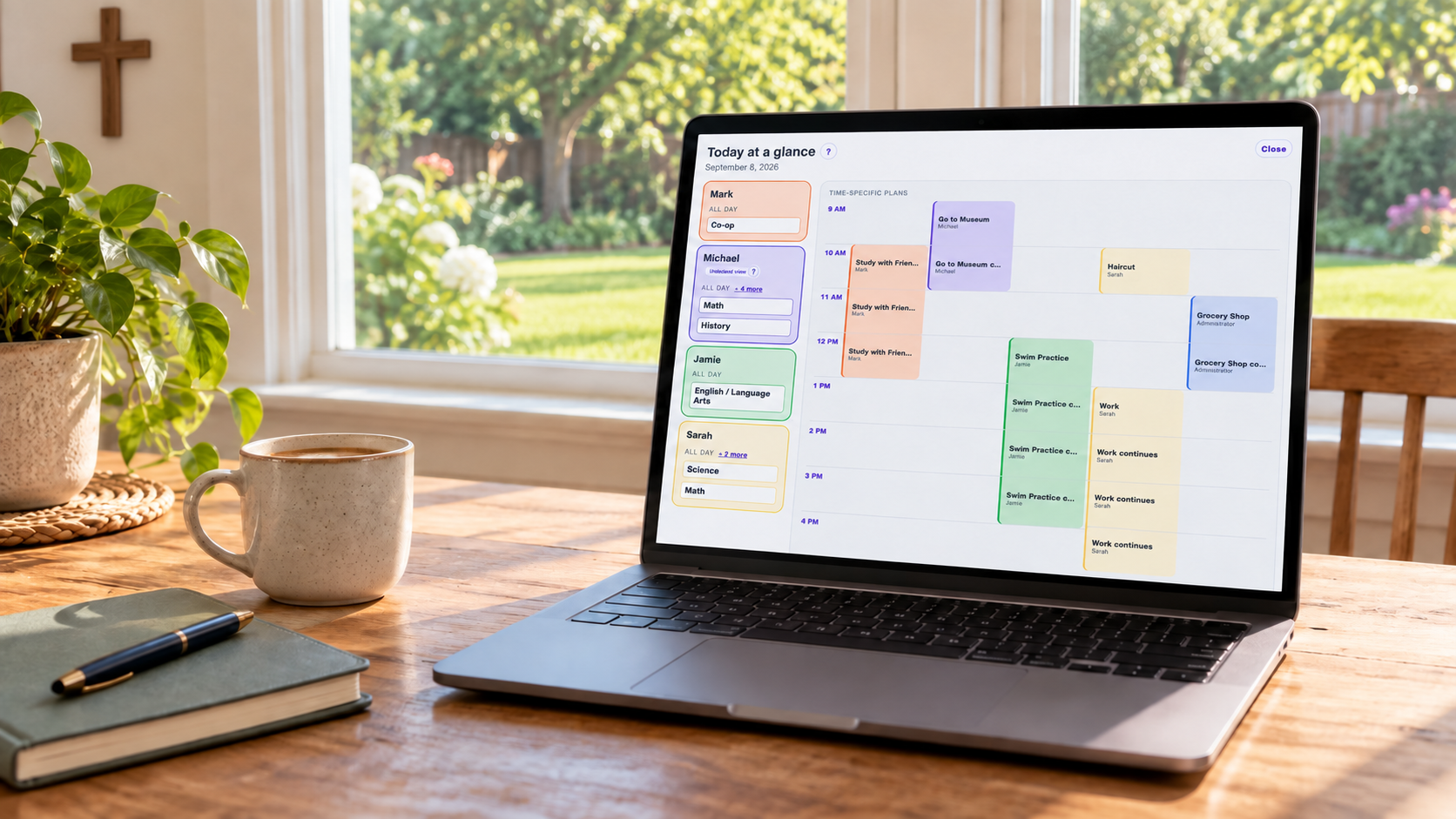
Plan each learner’s path, see the family schedule, and turn source material into organized work with clear administrator controls.
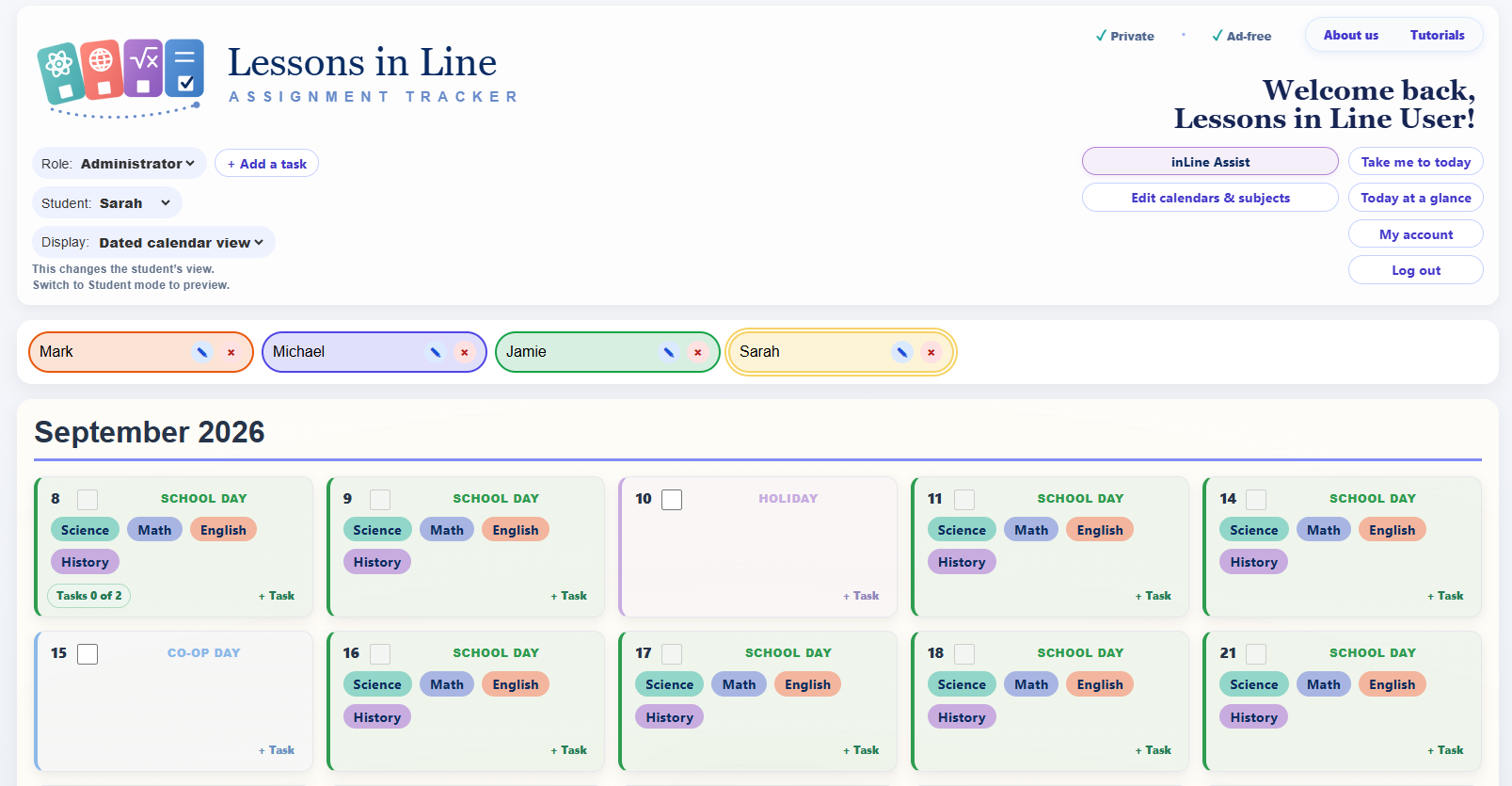
Switch between student trackers, manage daily work, and keep the controls an administrator needs within easy reach.
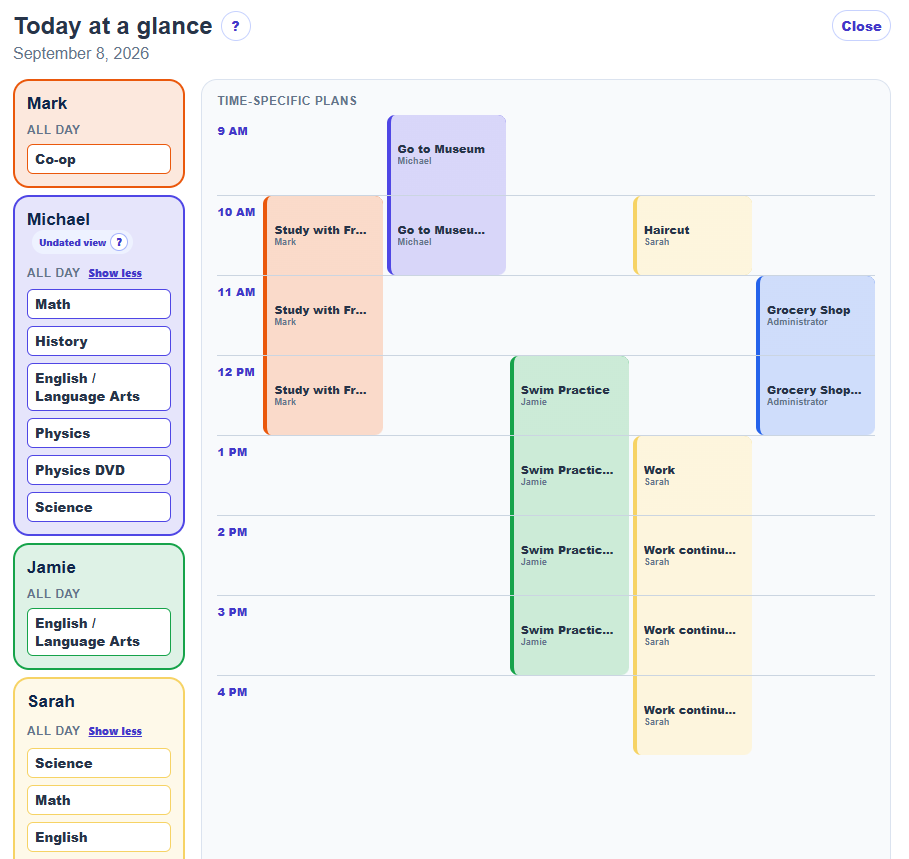
Administrators can scan each learner’s subjects alongside appointments and shared plans, with a distinct color for every person.
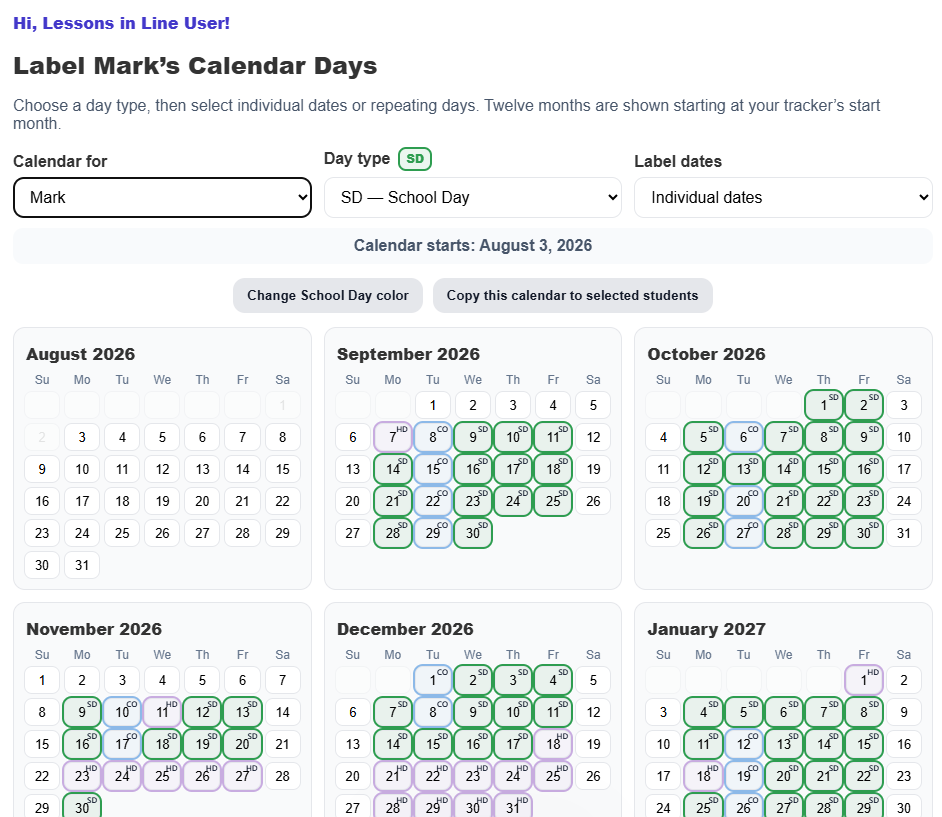
Label school days, co-op days, holidays, field trips, makeup days, and custom routines across the year.
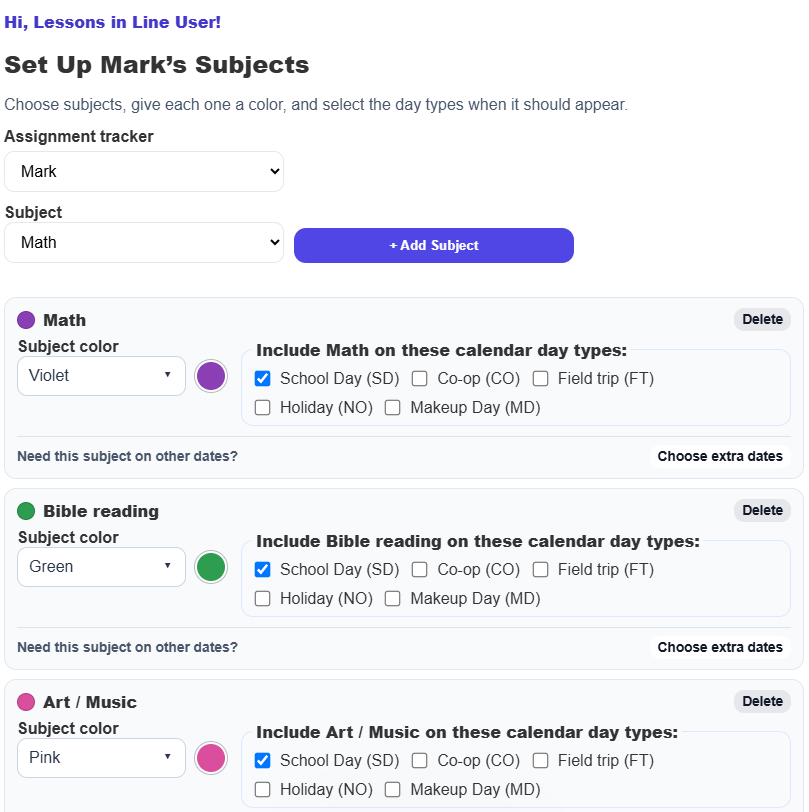
Give subjects recognizable colors and decide exactly which kinds of calendar days should include them.
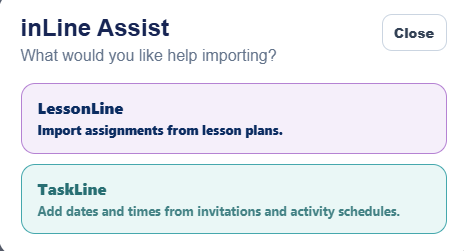
Start with LessonLine for assignments or TaskLine for dates and times.
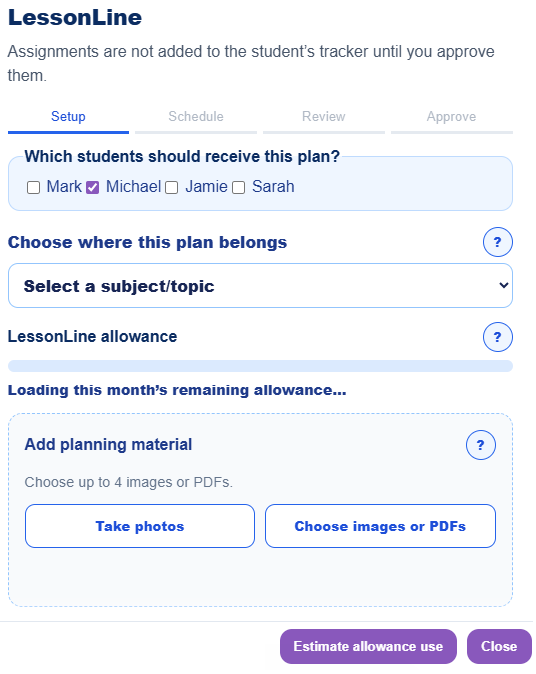
Select students and subjects, measure the plan, then review everything before it reaches a tracker.
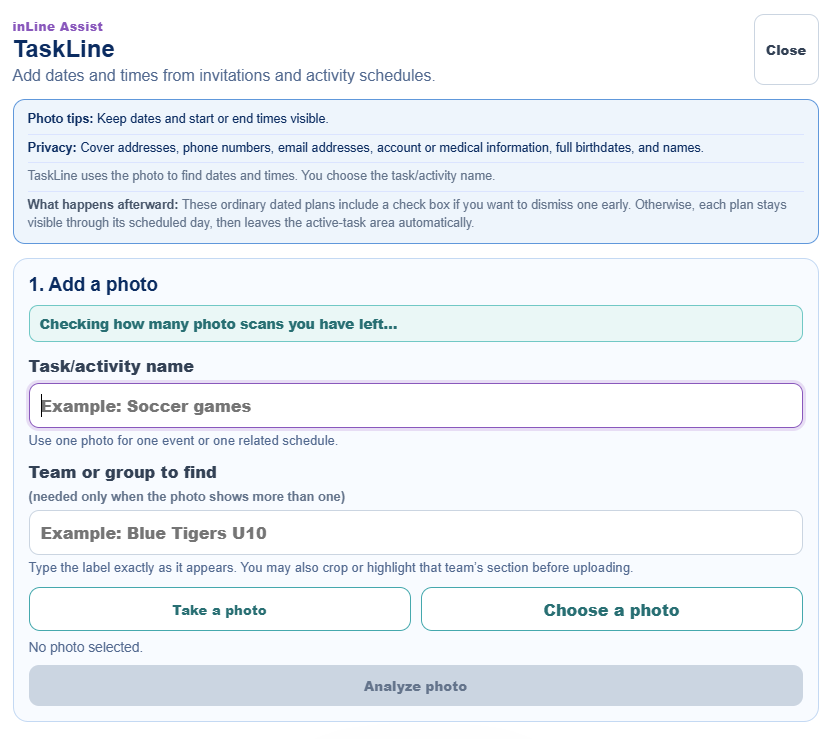
Use an invitation or activity schedule to organize upcoming plans while keeping the final name and details under your control.
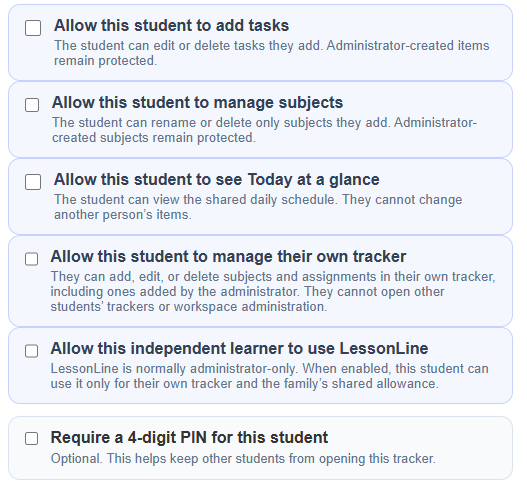
Choose whether a student may add tasks, manage subjects, view the shared day, or manage their own tracker.
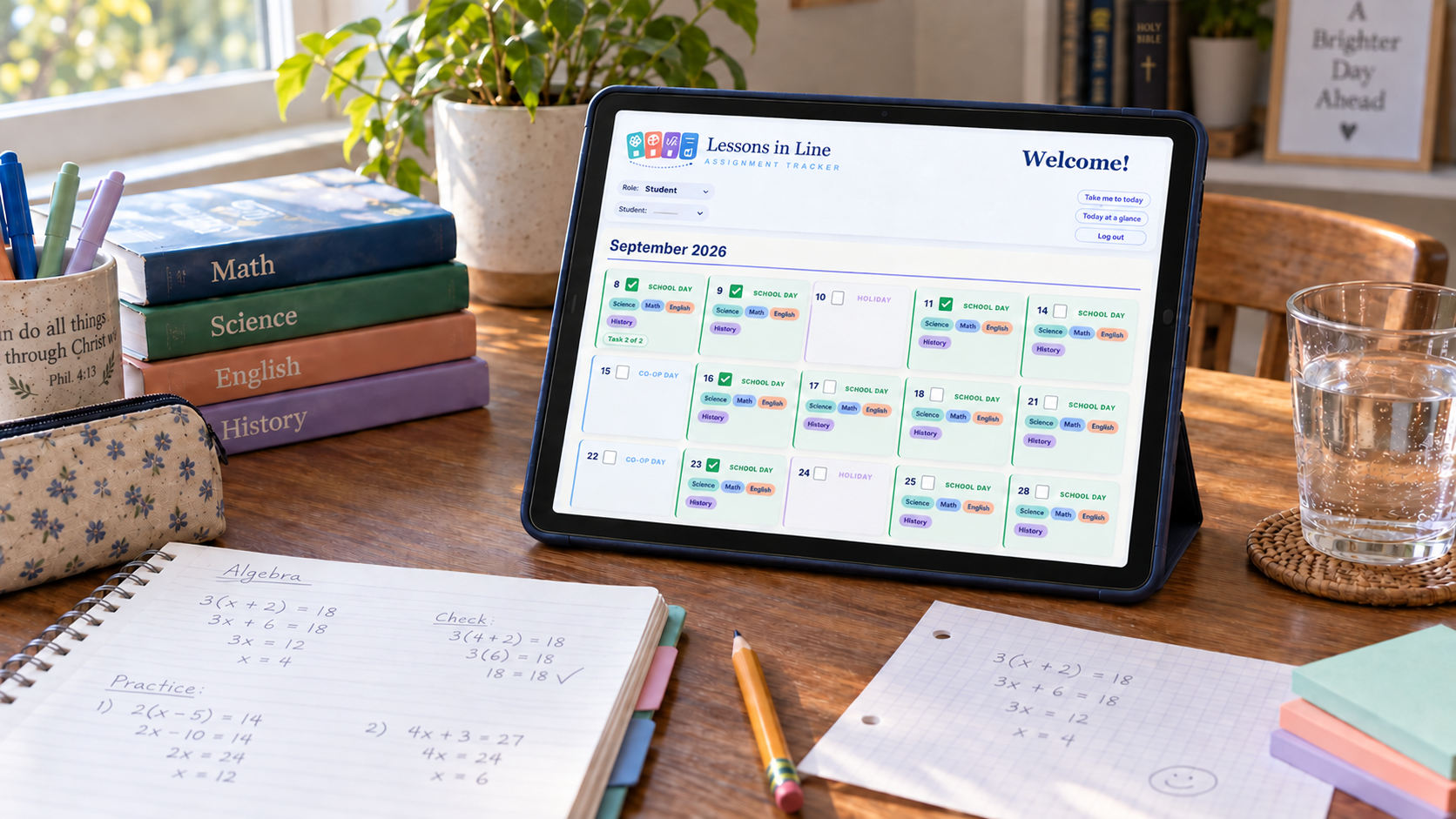
Traditional weekdays, co-op days, field trips, custom day types, and changing routines can live inside one planning system.
Lessons in Line brings the moving pieces of personalized education into one calm, purpose-built workspace.
Assignments are scattered across notebooks, printouts, and messages.
Each learner’s schedule follows a different rhythm.
It is hard to see what is done without interrupting the student.
Students can accidentally change information meant for administrators.
Subjects, assignments, schedules, and progress live together.
Each learner has an individual tracker inside the shared workspace.
Today at a glance gives students and educators a quick shared view.
Permissions, administrator mode, and optional student PINs add control.
Parents, tutors, administrators, and independent students can organize learning while each learner receives a focused experience matched to their needs and independence.
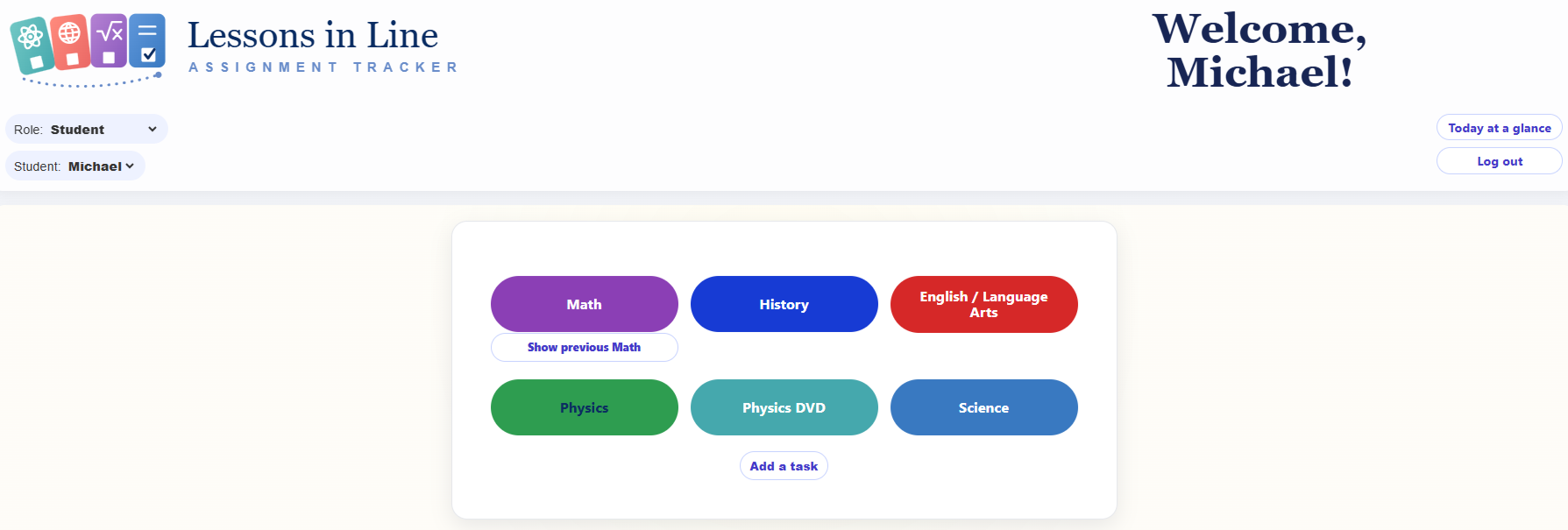
Choose the level of visibility and control that fits the student, instead of forcing a one-size-fits-all workflow.
Build calendars, add assignments, and see each learner’s current education plan.
Open a simple daily tracker and mark finished work without changing protected setup.
Receive permission to manage their own subjects and assignments when appropriate.
Switch students inside one approved workspace with optional individual PIN protection.
Set up the structure once, then let each student see the work that matters today.
Create a tracker for each learner in your workspace.
Label school days, co-op days, field trips, breaks, and more.
Give every subject a color and decide when it appears.
Add assignments, work through the day, and track progress.
Lessons in Line separates workspace administration from the student experience while allowing each learning environment to choose the independence that fits every learner.
Set up the learning structure and decide what each student can manage.
Open a focused tracker designed to make the next step clear.
New families can learn about access and create their workspace. Current families can log in from the top of this page.
Get started with Lessons in Line